VetStack
FeaturesPricing
BlogFAQContact
HomeVeterinary formsNew Client Registration Form

Free · Unbranded · Front desk & billing

Veterinary New Client Registration Form
Free PDF.

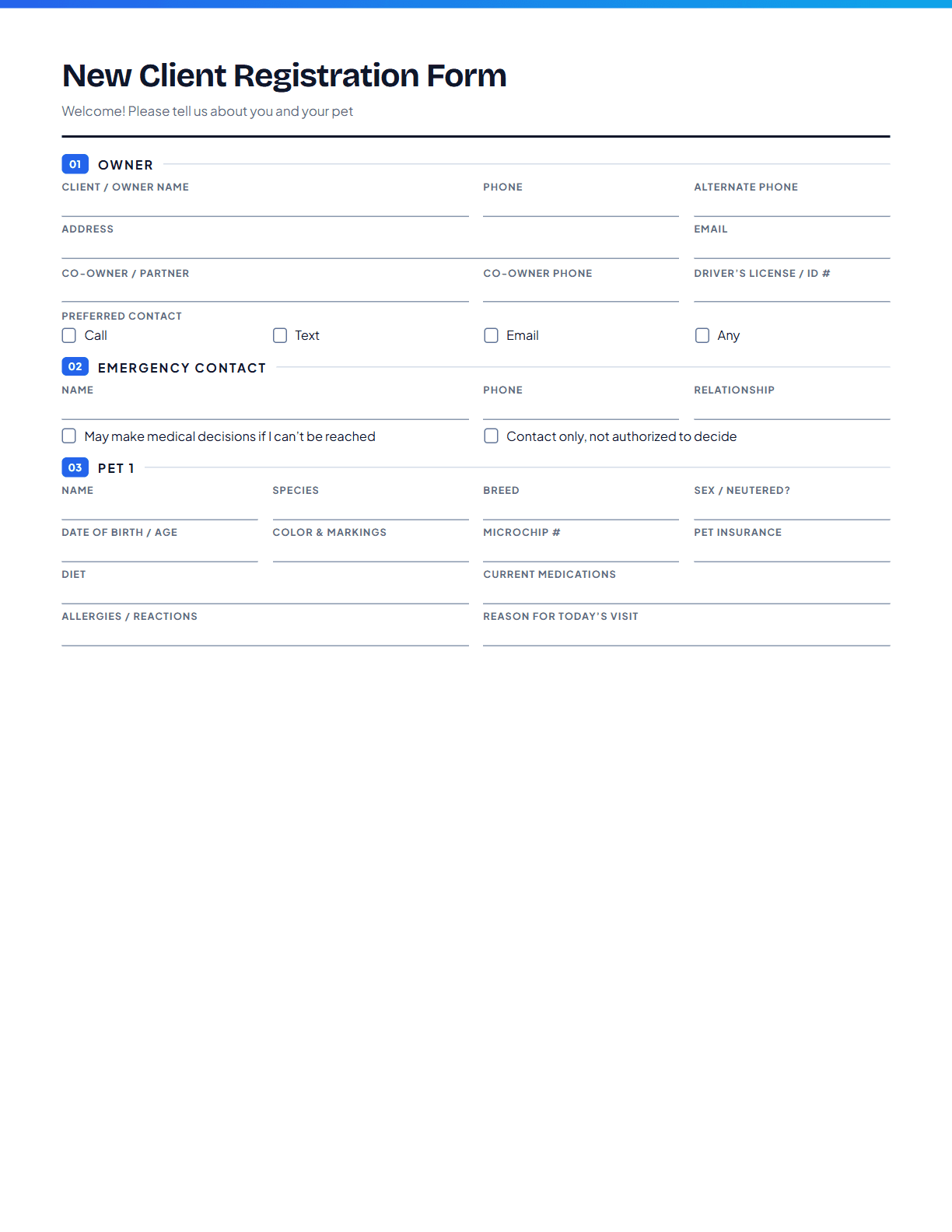
A clean intake form for new clients: owner and emergency contacts, room for two pets, the previous clinic and a records-transfer authorization, reminder preferences, and the payment acknowledgment, all in one pass at the front desk.

Fill in online
  • 2 pages
  • US Letter
  • Two pets per form
  • Records transfer consent

Unbranded: no logo or linksNo account neededPrint at 100% on US LetterUpdated November 10, 2026

Preview of page one of the New Client Registration Form
PDF · 2 pages

What’s on the form

Every section, and what it’s for.

01

Owner details

Name, co-owner, address, phones, email, and preferred contact method.

02

Emergency contact

Someone who can make decisions if the owner can’t be reached, and whether they’re authorized to.

03

Two pet profiles

Name, species, breed, sex and neuter status, date of birth, color and markings, microchip, insurance, diet, current medications, and allergies.

04

Previous clinic

The previous veterinary practice and an authorization to request records from them.

05

Reminders & consent

How the owner wants reminders, how they heard about you, and a payment-policy acknowledgment with signature.

Fill in online

Type it, then print or save.

Every line on the form is editable right here. When you’re done, print it or choose “Save as PDF” in the print dialog. Everything stays in your browser.

Click any line to type, or add your logo. Nothing is uploaded or saved.

Full size

Using it well

Small habits that make it worth the paper.

Send it before the visit

Email the PDF or a link to the fill-in version with the appointment confirmation. Clients fill it in at home and arrive ready.

Ask for records on day one

The records-transfer box lets you request history before the first exam, not after it.

Put your policy in writing

Edit the payment acknowledgment to match your actual policy. A signed policy prevents the most awkward conversations at checkout.

Questions about
this form.

Printing, editing, and what the form does and doesn’t cover.

What should a new client form ask for?+

Owner contact details and preferences, an emergency contact, each pet’s signalment, medical history basics (medications, allergies, diet), the previous clinic, and consent to request records, plus your payment policy.

Can clients fill this in online?+

Yes. They can type into the form on this page and print it or save it as a PDF to email to you. Nothing is stored by VetStack.

Is the payment policy wording fixed?+

No. It’s a starting point. Replace it with your practice’s actual policy before using the form.

What about households with more than two pets?+

Print the second page again for each additional pair of pets.

Often printed together

All veterinary forms
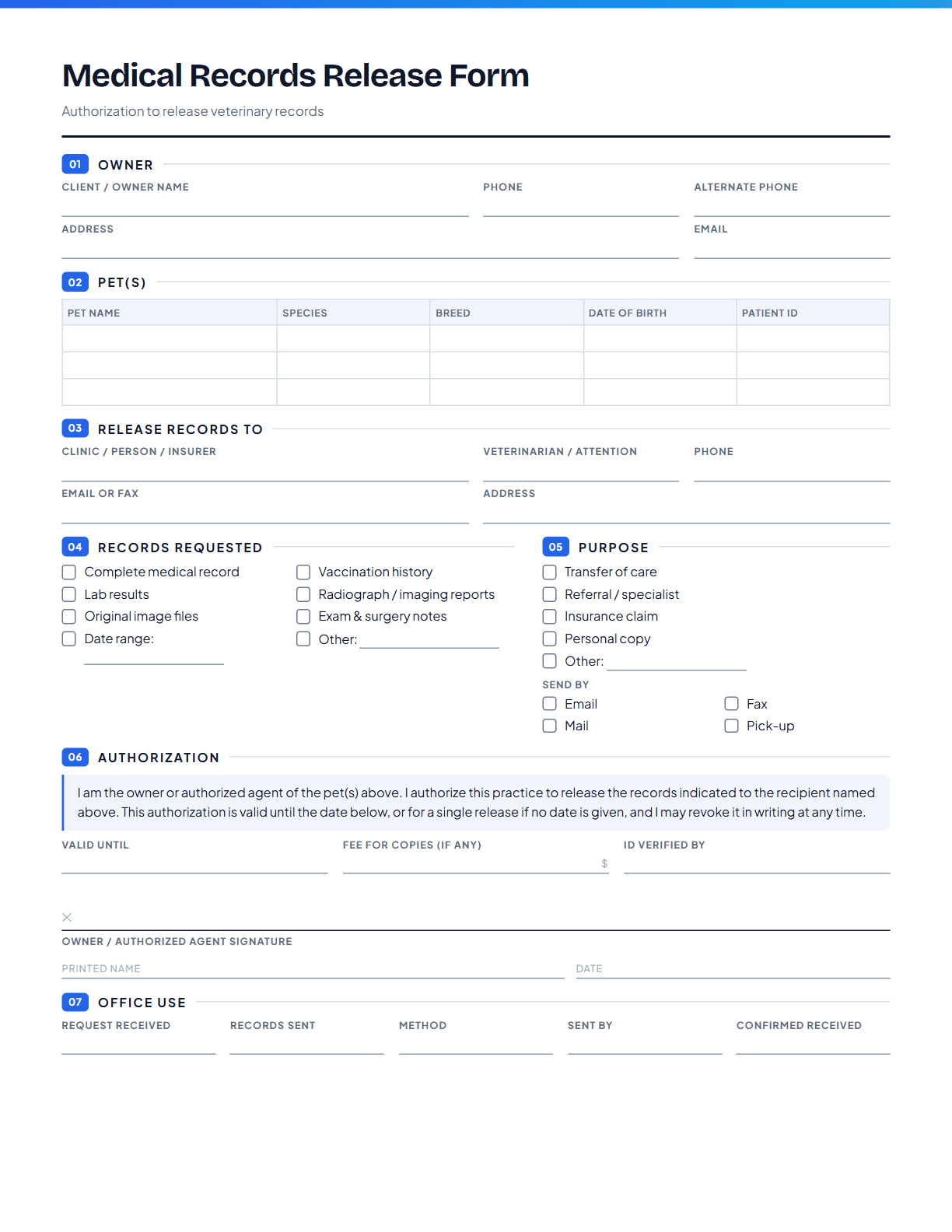
Preview of page one of the Medical Records Release Form

Medical Records Release Form

1 page, US Letter, portrait

A one-page authorization for sending a pet’s records to another clinic, a specialist, an insurer, or the owner. It spells out exactly which records go where, by what method, and for how long the authorization lasts.
Fill in online
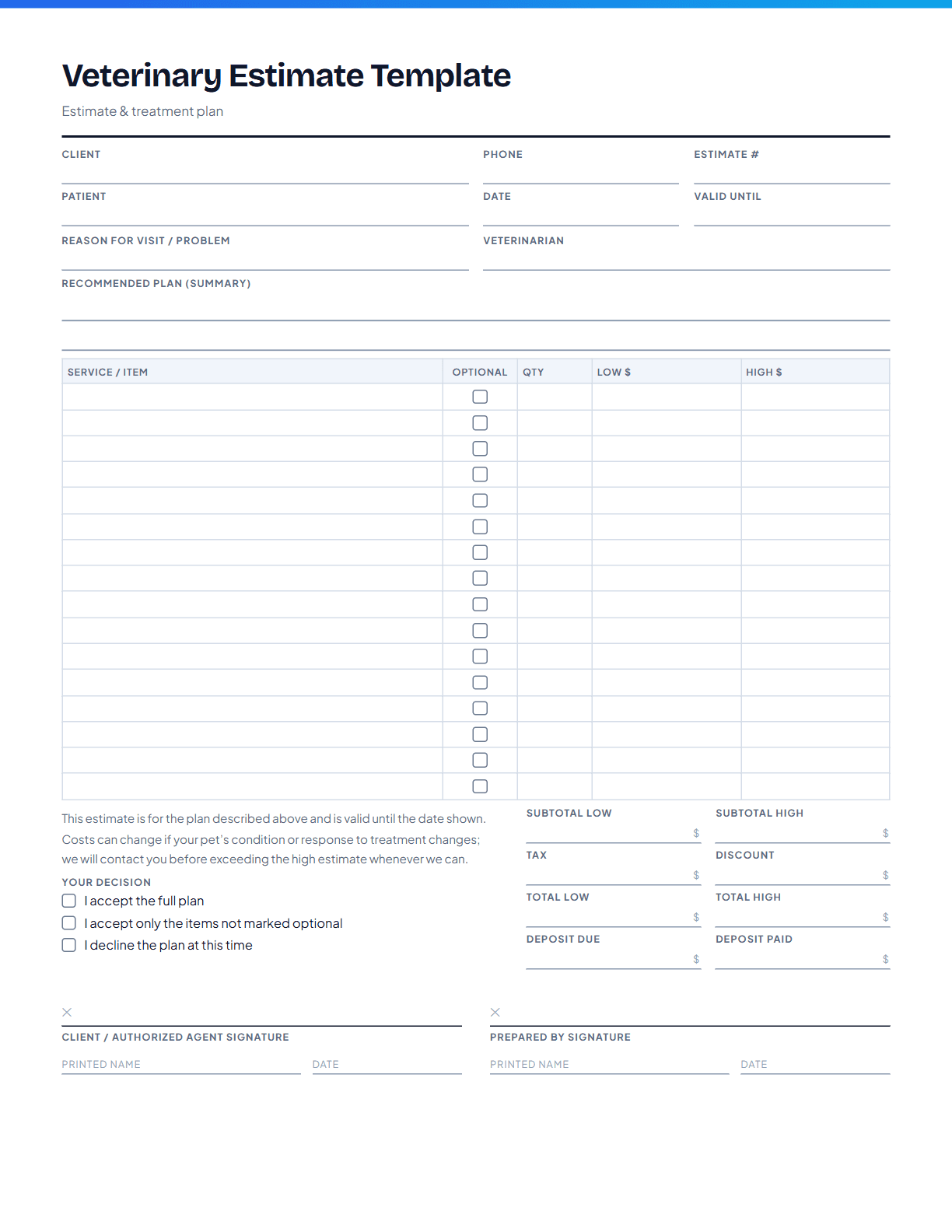
Preview of page one of the Veterinary Estimate Template

Veterinary Estimate Template

1 page, US Letter, portrait

A one-page itemized estimate with low and high columns, totals, deposit, and an expiry date. Clients choose accept, decline, or a partial plan and sign, so the decision and the numbers are on the record together.

Fill in online
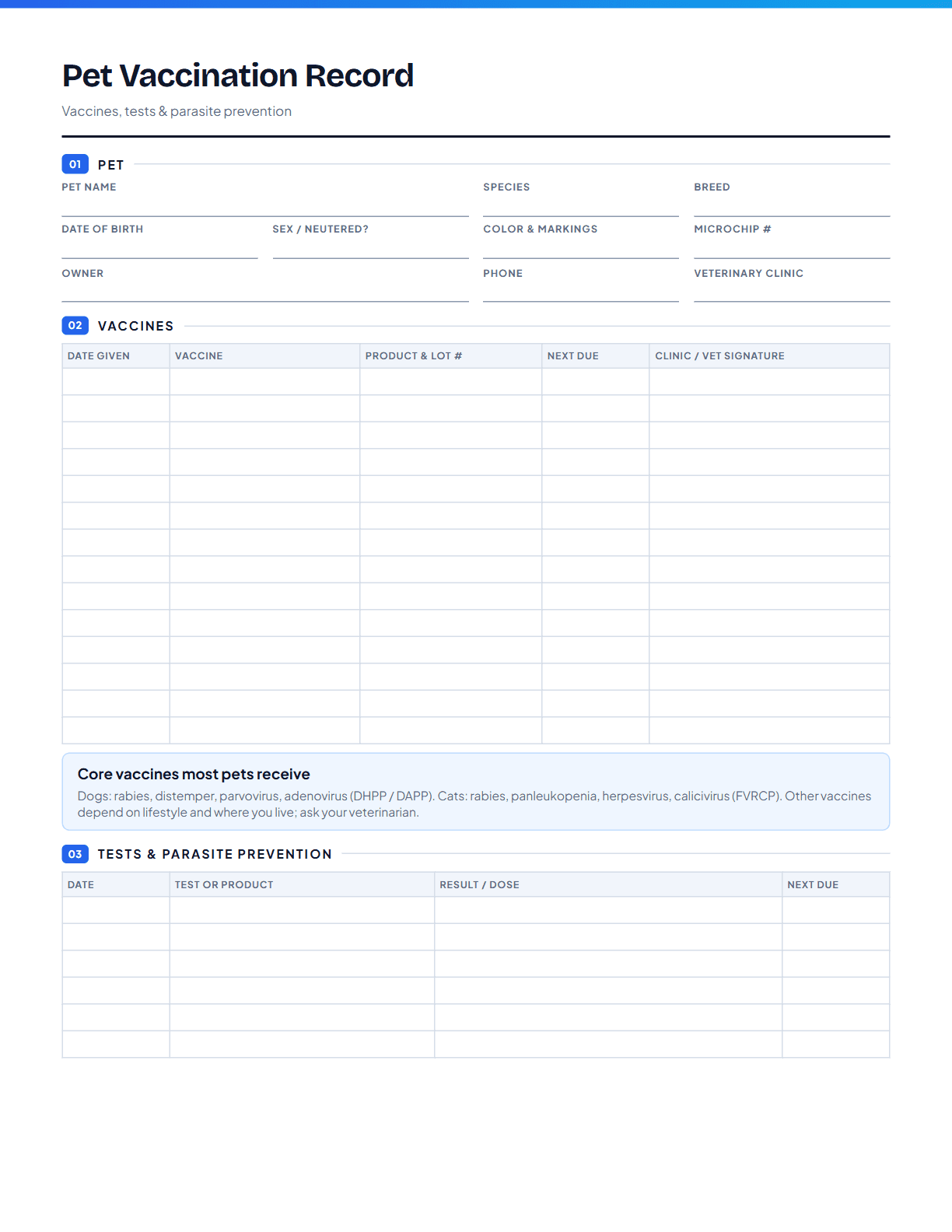
Preview of page one of the Pet Vaccination Record

Pet Vaccination Record

1 page, US Letter, portrait

A one-page vaccine history for a dog or cat: every vaccine with the product, lot number, next due date, and who gave it, plus a log for heartworm and parasite tests and prevention. Handy for boarding, groomers, daycare, and new vets.

Fill in online

A starting point, not legal or clinical advice. VetStack’s forms are general templates. Requirements for medical records, consent, and controlled substances vary by state and practice, so review the wording with your practice’s attorney and check your state veterinary board’s rules before adopting a form as standard.

VetStack
VetStack

AI-powered SOAP note generation for veterinarians. Save time, see more patients.

Encrypted in transit and at rest, isolated per practice, and never used to train AI. How we protect your data

Stay in the loop

New tools, product updates, and clinical workflow ideas, straight to your inbox. No spam.

Free Tools

All Free ToolsBenadryl Dosage CalculatorDrug Dosage CalculatorIV Fluid Rate CalculatorBody Condition ScoreBSA CalculatorIRIS CKD StagingVaccine Schedule GeneratorPrintable Veterinary FormsSOAP Note TemplateEuthanasia Consent FormVeterinary NewsFind a VeterinarianList Your Clinic

Dog & Cat Diseases

All ConditionsParvovirus in DogsFeline HyperthyroidismHip Dysplasia in DogsChronic Kidney Disease in CatsHeartworm Disease in DogsFLUTD in Cats

Learning & Exam Prep

Free Veterinary CECE Requirements by StateVeterinary ConferencesVeterinary ExternshipsAll Exam PrepNAVLE Practice QuestionsVTNE Practice QuestionsBCSE Practice Questions

Compare

Best AI Scribe SoftwareVetStack vs ScribbleVetVetStack vs ScribenoteVetStack vs VetRecVetStack vs CoVet

Company

AboutPricingReferral ProgramBlogSalary SurveySalary by StateBecome a VeterinarianVet SchoolsCompare Vet SchoolsJob BoardPost a Job (Free)SecurityFAQContact

© 2026 Ilias Ventures LLC. VetStack is operated by Ilias Ventures LLC. All rights reserved.

PrivacyTermsCookiesAcceptable UseDisclaimerService ProvidersAccessibility